
Skip to content
English
  • There are no suggestions because the search field is empty.

Tip 4. Create your tasks and reminders

Benefit: Organisation and Monitoring: Automatic reminders of actions to be taken, improving control over tasks and deadlines.

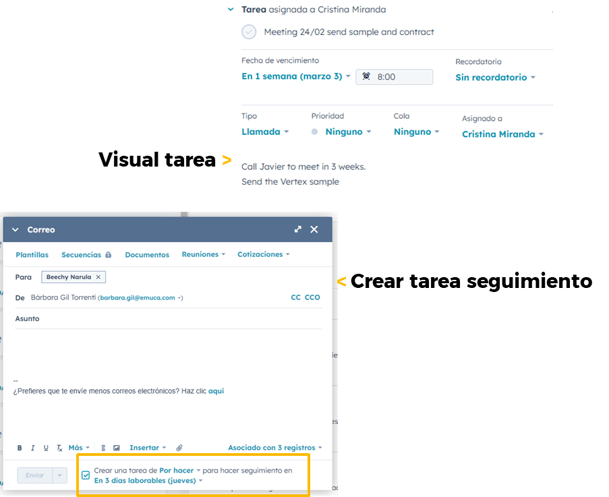
After sending an email to a client or prospect, you can assign a follow-up task at the very moment you send it, to remind you of actions such as sending prices, writing to them in a week’s time, or waiting for a reply.

Simply select ‘Create task…’ in the email, set a due date, and the task will be recorded under the contact/company and in your profile for follow-up.
    • Send a sample
    • call in a week to arrange the next meeting
    • send a catalogue, etc…


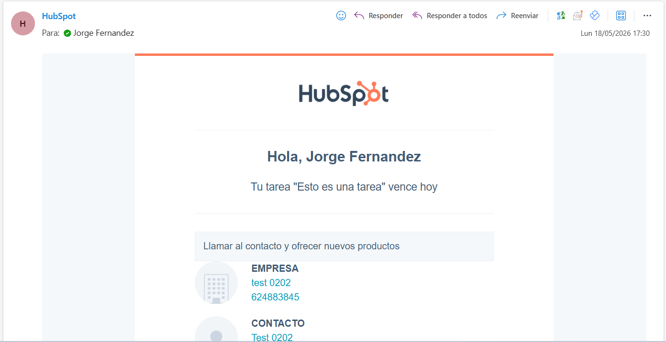
      Notification by post: